See Record360 at Bauma 2025: April 7-13, Munich, Booth C4-719

Archives for August 2023

Unleashing Record360’s Power at Midway Chevrolet

Effective fleet management is crucial for car rental agencies like Midway Chevrolet’s Dealer Rent-A-Car (DRAC) program. The DRAC program relies on it to offer customers convenient and reliable rental options during their vehicle service. Safety and vehicle condition are paramount, and conducting thorough inspections is essential to identify damages, maintenance needs, and safety hazards.

However, traditional paper-based inspection reports have proven time-consuming and prone to errors. Effective fleet management is crucial for car rental agencies like Midway Chevrolet’s Dealer Rent-A-Car (DRAC) program. The DRAC program relies on it to offer customers convenient and reliable rental options during their vehicle service.

Record360 in Midway Chevrolet’s DRAC Program

Understanding Record360:

Record360 is a state-of-the-art fleet management software that enables users to conduct meticulous vehicle inspections seamlessly. It provides a comprehensive solution for documenting vehicle conditions, benefiting car rental agencies, logistics companies, and businesses with vehicle fleets. Record360 became the primary tool for Midway Chevrolet’s DRAC program by ensuring effective data integrity in inspection reports.

The Benefits of Digital Inspections

Time Efficiency and Convenience:

With Record360, Midway Chevrolet bid farewell to manual paperwork and lengthy processes in the vehicle inspection journey.

The digitization of inspections has brought about significant time savings and reduced administrative burdens. With a few simple clicks, users can access inspection records effortlessly, streamlining fleet management operations. Easy access to inspection data enables swift decisions, optimized vehicle maintenance, and improved customer service for fleet managers.

Gone are the days of cumbersome paperwork and manual data entry. The digitized inspection process has eliminated administrative hassles, freeing up valuable time for fleet operators. With digital inspection records, fleet managers can quickly review and analyze vehicle conditions, identify maintenance needs, and address issues promptly. This has transformed Midway Chevrolet’s DRAC program, making it more efficient and effective in managing its vehicle fleet.

Enhanced Accuracy and Reduced Disputes:

Record360’s photo and video capture elevates vehicle inspections to a new level. Recording critical details such as brake light functionality and vehicle location reduces disputes over damages, driver performance, and fuel costs. This saves time and preserves valuable resources in the inspection process.

Real-time Data Synch and Data Security:

Record360 ensures real-time data synchronization across multiple devices, granting all stakeholders immediate access to inspection reports and vehicle data. This proves vital in making informed decisions about fleet maintenance, driver safety, and fuel costs while maintaining data integrity. Furthermore, Midway Chevrolet can rely on the platform’s strong commitment to data security. This protects sensitive information from potential threats and human errors in vehicle inspection reports.

How Record360 Works

User-Friendly Interface and Mobile App Integration:

Midway Chevrolet’s DRAC team found Record360’s interface intuitive and user-friendly, catering to all operators, including fleet managers. Even less tech-savvy users can now perform inspections and generate reports effortlessly. The mobile app integration further empowers drivers to conduct inspections on the go, ensuring data integrity and timely vehicle maintenance.

Step-by-Step Guidance and Custom Inspection Templates:

Record360 provides step-by-step guidance through the inspection process, covering both exterior and interior checks of vehicles. This meticulous approach minimizes the chances of overlooking critical details, further enhancing vehicle safety and maintenance.

Midway Chevrolet found great advantages in utilizing custom inspection templates specifically designed for different vehicle types and industry requirements. Tailored templates enhanced efficiency and addressed each vehicle’s unique aspects. Streamlined inspections improved vehicle maintenance and customer services at Midway Chevrolet.

Security and Integrations:

Cloud-based Storage and Fleet Management Solution:

Midway Chevrolet found reassurance in Record360’s secure cloud-based storage, safeguarding all inspection records from physical damage or data loss. This reliable system minimizes potential risks, ensuring vital information remains protected and accessible. This convenient cloud storage ensures easy data retrieval whenever needed, simplifying fleet operations and vehicle inspection management. Additionally, Record360 seamlessly integrates with other fleet management systems, optimizing overall fleet maintenance and management for the dealership.

Comprehensive Reporting and Real-time Insights:

The platform generates detailed and customizable inspection reports, offering invaluable compliance and internal records for Midway Chevrolet’s DRAC program. Ensuring vehicles meet safety standards enhances customer satisfaction and minimizes liabilities. Record360’s real-time data insights optimize vehicle maintenance, driver safety, and fuel costs.

By proactively identifying potential issues, Midway Chevrolet can take immediate action, improving efficiency and reducing downtime. The integration of data-driven insights empowers the dealership to deliver exceptional customer service.

Final Thoughts

Record360 revolutionized Midway Chevrolet’s vehicle inspections and fleet management. Its digital platform streamlined the process, ensuring efficiency, accuracy, and data security. Real-time insights empower prompt decision-making, optimizing fleet conditions and customer service. With Record360’s exceptional features, Midway Chevrolet excels in the industry.

The days of manual paperwork and manual inspections are gone! Seamless inspections with photo and video documentation reduce disputes.

Record360’s custom inspection templates improve accuracy. Cloud-based storage ensures secure data management, while integrations with other systems optimize operations. Record360 provides comprehensive reporting and real-time insights, elevating Midway Chevrolet’s DRAC program. Want to see what Record360 can do for you? Request a demo today

Customize and Conquer: Supercharge Your Record360 Inspections from the Start

Start your inspections off right with customized workflows. Record360 offers a range of customizable features that allow you to tailor your inspection process to your specific needs. From automating workflow selection and auto-populating relevant information to personalizing the reference screen and enforcing specific requirements, our platform empowers you to kick off your inspections in a way that aligns perfectly with your process.


By customizing your workflows, you can ensure a smooth and efficient inspection process, saving time and increasing accuracy. Experience the power of tailored workflows with Record360 and elevate your inspection process to the next level.

Workflow Selection Mapping

At Record360, we offer a convenient feature for customers to streamline their workflow processes. By providing a .CSV file with unit data that indicates which workflow should be used for each unit, our system can automatically launch the user into the correct workflow when the unit is entered into the mobile app. This automation eliminates manual work, ensuring a seamless transition from data entry to workflow initiation.

Auto-populate 

Auto-populate is a convenient feature that displays a dropdown with available units when starting an inspection. This feature allows a user to start typing a unit number in the mobile app, and select the correct unit from the dropdown without having to type the entire unit number. This eliminates manual input, ensuring accuracy and efficiency. It saves time, reduces errors, and enhances productivity, freeing users to focus on other important tasks. Incorporating serial numbers has proven valuable to customers using Record360. They can easily input complete serial numbers and initiate auto-population by typing only the final digits, streamlining the process. Auto-populate simplifies data entry and ensures seamless integration within the system.

Reference screen

We prioritize customization to meet your unique needs. You can personalize the ‘Enter Unit or Reference Number’ area. For example, if you prefer ‘Enter VIN’ or ‘Enter License Plate’ we’ll make that adjustment. At Record360, we strive to provide a personalized experience that perfectly aligns with your requirements.

Force Caps

Force Caps is a useful feature that sets the reference screen text box to accept only capitalized letters. When enabled, all input will be automatically converted to uppercase. This ensures consistency in data entry, especially for reference numbers, codes, or identification purposes. With Force Caps, you save time and maintain a uniform format throughout your system, enhancing professionalism and data clarity. It’s a convenient way to enforce uppercase letters effortlessly.

Reference Number Security

Reference Number Security is a crucial feature that warns users when attempting to create a unit not present in the system. If a user encounters this situation, they receive a clear message like, “You have created a unit that does not exist” and are guided back to the previous step. The other choice we offer is to provide a warning before proceeding, which will also notify the location manager via email. This flexibility ensures efficient unit management and informs stakeholders about new unit additions. It safeguards and prevents the creation of erroneous or invalid units, ensuring data accuracy and integrity. It guarantees that only valid and recognized units are created, promoting a reliable and efficient workflow.

Barcode scanner by default

To enhance user experience, we’ll automatically launch the barcode scanner when the user selects “start.” No initial manual entry for the unit ID will be required; the scanner will appear immediately. This setup will be based on the user’s location. Depending on your operating system, you can scan barcodes or QR codes. 

Departments

Record360’s Departments feature enables simultaneous multiple inspections across various workflows, seamlessly integrating inspection processes throughout the entire business. Whether it’s rental, service, maintenance, warranty, new inventory, or re-marketing inspections, Record360 tracks asset condition across their lifecycle. This powerful suite of tools offers digital inspections, facilitates used equipment sales, and streamlines service department operations. Record360 separates workflows by department, providing each user in the business with a distinct user experience tailored to their specific roles and responsibilities.

Department Filtering

The image shows open transactions for the same units across different departments. We can introduce ‘department filtering,’ a feature that allows users to exclude open transactions from other departments. This way, users can focus solely on available transactions within their desired department, catering to their preferences.

Re-ordering workflow steps

At Record360, we value the significance of workflow orders for our customers. We allow you to re-order workflows according to your preferences to enhance efficiency and streamline processes. We can accommodate your requirements if you want the user to fill out a checklist or take pictures before moving on to the next steps. We aim to empower you with a customizable solution that optimizes your operations and boosts productivity.

Must Read: Enhance Your Record360 Experience with Customization

Must Read: Unleash Your Media Potential: Elevate User Experience

Final Thoughts

By customizing your workflows with Record360, you can supercharge your inspections from the very start. Our platform offers a wide range of customizable features that allow you to tailor your inspection process to meet your specific needs. Whether automating workflow selection, auto-populating information, personalizing the reference screen, or enforcing specific requirements, Record360 empowers you to kick off your inspections in a way that aligns perfectly with your unique workflow. Customizing your workflows can ensure a seamless and efficient inspection process, saving valuable time and increasing accuracy. Experience the transformative power of tailored workflows with Record360 and elevate your inspection experience from the get-go.

Disclaimer: Please note that additional costs may apply for certain customizations or features offered by Record360. While many customization options are included in our standard package, certain advanced or specialized customizations may require additional fees. Our team will be happy to provide detailed information about pricing and any additional charges related to specific customizations. Please contact support@record360.com for more information. 

Record360 has Revolutionized Equipment Inspections

Efficient and accurate inspections are paramount in the fast-paced world of equipment rental businesses. Ensuring the safety and reliability of equipment is crucial for both rental companies and their customers. This article will explore the game-changing Inspection Management Tool, Record360, and its innovation in equipment inspections.

In the competitive landscape of equipment rental software, Record360 stands out as the best choice for various reasons. Its intuitive user interface makes it easy for both rental staff and customers to use effectively. The real-time reporting feature empowers rental companies to respond promptly to discrepancies and take necessary actions, preventing further complications. 

Understanding Record360

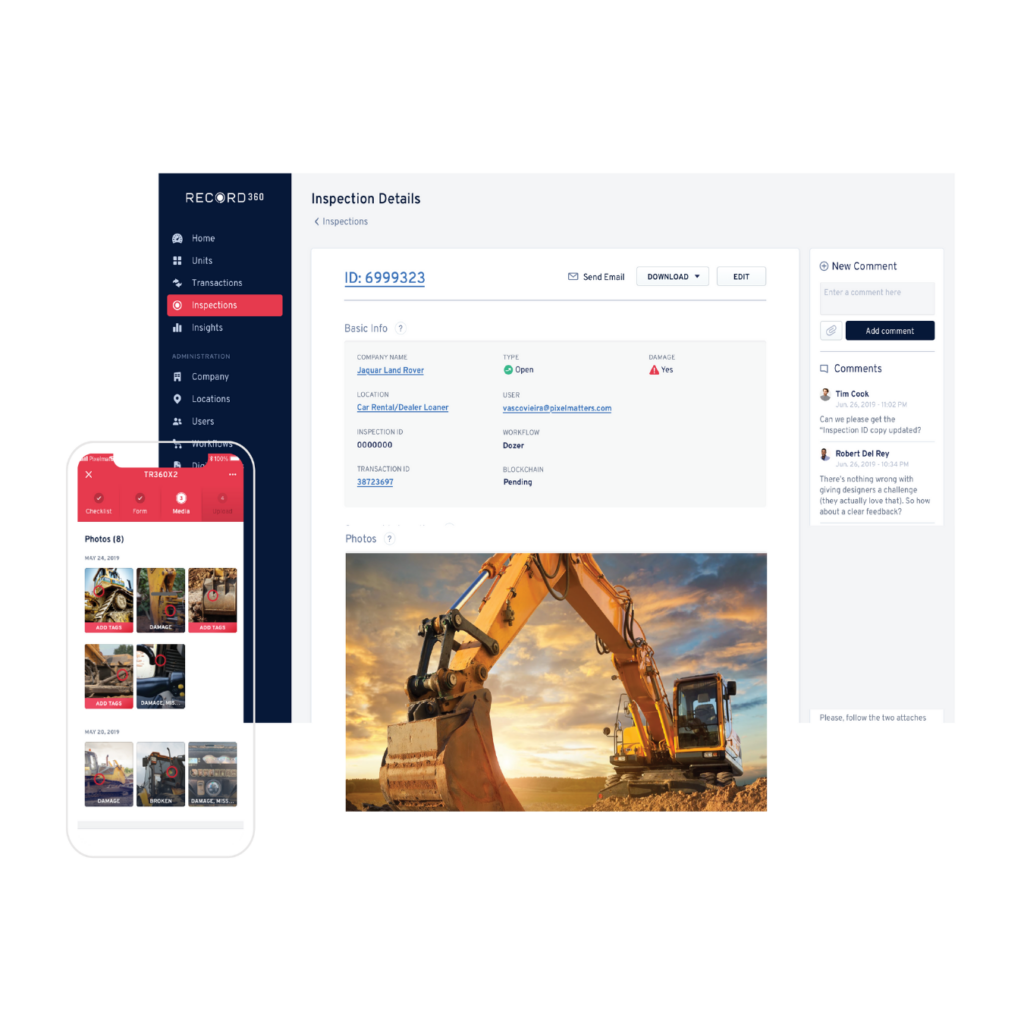
Record360 is a cutting-edge digital documentation platform designed to streamline and simplify the process of asset inspection and documentation. Record360 enables businesses to accurately document the condition of rental vehicles, equipment, real estate properties, and other valuable assets.

Using mobile technology, users can capture detailed visual and written records like photos, videos, and notes to create comprehensive inspection reports. Reports provide crucial evidence, promoting transparency and accountability between stakeholders.

Record360’s interface and cloud storage ensure secure, accessible data fostering collaboration and reducing data loss risks. Its innovative features revolutionize how businesses manage valuable assets, resulting in better customer satisfaction and operational efficiency.

Record360’s versatility benefits various industries like automotive, truck rental, construction, and property management. Its accessible and secure documentation solution fosters trust, accountability, and professionalism, leading to business success and customer loyalty.

Benefits of Record360

Record360 is a real-time documentation tool that replaces tedious paperwork. It captures inspection data with dates, times, GPS locations, and photos, ensuring transparency between renters and rental companies. The system saves time by automating workflows and integrates smoothly with existing rental management systems. It enhances accountability, reducing disputes and damages.

Real-time Documentation

Gone are the days of tedious paperwork and manual documentation. Record360 allows users to capture inspection data in real-time, complete with date and time stamps, GPS location, and even photos. This comprehensive documentation helps in accurate record-keeping and dispute resolution, ensuring transparency between renters and rental companies.

Increased Efficiency

Record360 streamlines the inspection process, reducing the time spent on manual checks and report generation. With automated workflows, rental companies can conduct multiple inspections simultaneously, saving valuable time and resources.

Enhanced Accountability

The Inspection Management Tool enhances accountability by creating a clear chain of custody. Both renters and rental companies can verify and authenticate equipment conditions before and after rental periods, reducing disputes and potential damages.

Seamless Integration

Record360 seamlessly integrates with existing rental management systems, making it easy for businesses to adopt without significant disruptions. This integration ensures a smooth transition and provides a holistic view of equipment history.

The Burstiness of Record360

The term “burstiness” refers to the concept of irregular or unpredictable events occurring within a specific timeframe. In the context of equipment rental and inspections, burstiness can occur when multiple equipment returns and rentals happen simultaneously. Record360 effectively handles this burstiness by allowing multiple users to conduct inspections concurrently and generate detailed reports promptly.

Perplexity in Equipment Inspections

Perplexity relates to the complexity or diversity within a dataset. In equipment inspections, perplexity can arise due to various types of equipment, varying conditions, and diverse inspection criteria. Record360’s flexible platform offers customizable inspection templates, ensuring comprehensive coverage without losing specificity.

Why Record360 is the Best Equipment Rental Software

Record360 offers an intuitive user interface, simplifying the inspection process for rental staff and customers. Its real-time reporting feature enables quick response to issues, ensuring a smooth rental experience. Promoting transparency boosts customer satisfaction and fosters long-term relationships. The tool’s data-driven insights help optimize processes and streamline operations.

Intuitive User Interface

Record360 boasts an intuitive user interface that simplifies the inspection process for all parties involved. Its user-friendly design reduces the learning curve, making it easy for rental staff and customers to use effectively.

Real-time Reporting

The tool’s real-time reporting feature empowers rental companies to respond promptly to discrepancies and issues. This quick feedback loop allows prompt actions, preventing additional complications.

Customer Satisfaction

By offering a transparent and accountable rental experience, Record360 contributes to higher customer satisfaction rates. Satisfied customers are more likely to become repeat customers, fostering long-term business relationships.

Data-Driven Decision Making

Record360 generates valuable insights and analytics, allowing rental businesses to make data-driven decisions. These data points help in optimizing rental processes, identifying trends, and streamlining operations.

Final Thoughts 

Record360 has redefined equipment inspections with its revolutionary Inspection Management Tool. It has become the top choice for equipment rental businesses by offering real-time documentation, improving efficiency and accountability, and seamless integration with existing systems. Embracing the concepts of burstiness and perplexity, Record360 adapts to dynamic rental scenarios while retaining specificity and context.

Request a demo and get your team up and running in days! With over 23 million inspections at 2,000 locations nationwide, Record360 is the #1 inspection app. Increase your bottom line with digital inspections and a commitment to a stellar customer experience.

Damage Control: How Record360 Helps Prevent Costly Disputes

Running a rental and leasing business is no walk in the park. There’s often so much administrative work that it can become overwhelming. Adding to the complexity, managing customer interactions, and meeting their needs can be another ball game.

The good news is that you don’t have to do it alone. With over 23 million inspections, we’ve shown that when using an easy-to-use software solution like Record360, you can streamline your workflow and set yourself up for success.

How can an inspection app help me avoid disputes, you ask? Below are five great ways Record360 can do this and so much more.

  1. Create Rock-solid Proof There’s nothing more frustrating than a case of “he-said-she-said” when a customer returns an asset, whether it’s a truck, a trailer, or any type of heavy equipment. You can prevent disputes with the help of high-quality video and photo features.Record360 allows you to store unlimited evidence of the condition of your asset during the initial inspection and at check-out. This serves as vital evidence that can be used in a dispute. With Record360, there’s no room for doubt.
  2. Improved Communication Excellent customer service doesn’t have to be a daunting task. You can ensure customers have a seamless experience during check-in and check-out. With Record360, you can request digital signatures or keep your customers up-to-date through their rental process via email or text notifications. Preventing miscommunication and confusion is crucial to the success of your customer service efforts. With Record360, you’ll be able to convey messages clearly and ensure that paperwork doesn’t keep you from being on top of your assets.
  3. Better Recordkeeping Keeping track of all the paperwork can be a real challenge. Suppose you rent out an asset and need to determine pre-existing damages. Determining pre-existing damages and holding customers accountable can be tough to prove without media evidence and a streamlined workflow. However, when your inspections are digitized through Record360, you’ll have traceable records a tap away.
  4. Customers’ Access to Important Documents Record360 can also help you ensure transparency. It is easy to use and allows the company’s employees, supervisors, and clients to share information, collaborate on projects, and quickly address concerns. When people can communicate directly with one another, they are less likely to have misunderstandings and conflicts that impede team productivity. This makes employees feel part of a larger whole, which boosts their morale and productivity.
  5. Less Frustrating Business Management Gone are the days when you carry tons of paperwork when conducting rental inspections. A paper process that can’t be streamlined to improve your workflow can slow you down and reduce the overall customer experience. Disputes often lead to frustration, but when you can simply tap your phone and have access to documentation, disputes are reduced significantly.

Prevent Disputes with Record360

In the age of digital innovation, you can harness the power of technology to build a successful rental and leasing business. Through clear communication, traceable records, and a better overall workflow, you can enjoy many years of success with Record360.

Schedule a demo today and increase your bottom line with digital inspections and a commitment to a stellar customer experience.

Enhance Your Record360 Experience with Customization

Customizing the text that users see in the app is essential to optimizing your experience with Record360. At Record360, we understand the significance of tailoring the language used in different sections to align with your needs and processes. From signature to in/out language, we offer the flexibility to customize the terminology according to your preferences. By customizing the language, you can ensure clear communication, accurate documentation, and seamless integration with your unique workflows. We prioritize providing a personalized and simplified experience that caters to the diverse requirements of our customers.


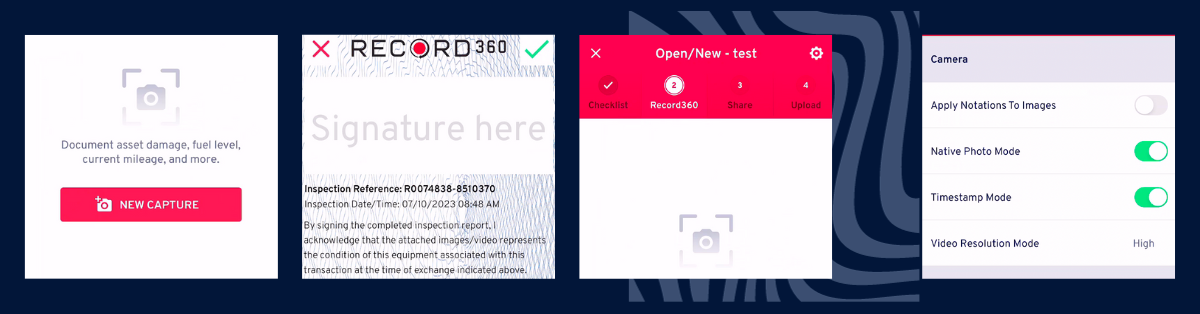
Signature Language in App

At Record360, we know the importance of customizing signature page language to suit your needs. You can tailor the wording specifically in the app on the upload screen. We can add phrases to reflect roles and responsibilities accurately. This ensures clear communication and alignment with your business processes. We provide a personalized experience, allowing you to convey necessary information effectively and capture acknowledgments. We offer the capability to require signatures and the flexibility to add multiple signature fields to meet specific requirements. Whether you need multiple signatures from different parties or additional signatures for specific purposes, we’ve got you covered.

Out/In Language

While we offer a standard out/in language, we also provide flexibility for customization to suit your needs. For example, if you track the initial value of a unit when it goes out on rent and the “final value” after the unit returns, we can customize the app’s language to align with this workflow.  In service, you can modify the in/out language. If you track the initial value of a unit when it comes in for repair and the “final value” after the unit repairs are completed, we can modify the app’s language to match this workflow. By doing so, the app and dashboard will reflect the terminology specific to your processes. We prioritize providing a tailored experience that caters to the diverse requirements of our customers.

Return Language

At Record360, we value customizing return process language. You can edit it to suit your needs, such as changing “Checkout” to “OPEN,” “RENTAL OUT,” or “NEW.” Similarly, “Update” can become “SERVICE,” “CHANGES,” or “AMENDMENTS.” “Return” may be modified to “CHECK-IN,” “CLOSE RECORD,” or “RENTAL-IN.” This company-wide setting ensures the language applies to all scenarios, including rentals and service processes. We prioritize providing a customizable solution to align return process language with your requirements and workflows.

Final Thoughts

At Record360, we understand the importance of customizing language to align with your needs. From signature language to out/in language and return logic, we offer flexibility for tailored terminology. Customize language for clear communication, accurate documentation, and seamless workflow integration. With personalized options, we prioritize simplifying your experience.

Must Read: Customize and Conquer: Supercharge Your Record360 Inspections from the Start

Must Read: Unleash Your Media Potential: Elevate User Experience with Record360’s Customizations

Disclaimer: Additional costs may apply for specific customizations or features offered by Record360. While many customization options are included in our standard package, specific advanced or specialized customizations may require additional fees. Our team will be happy to provide detailed information about pricing and any additional charges related to specific customizations. Don’t hesitate to get in touch with support@record360.com for more information.