A step-by-step guide for equipment rental operators to implement inspection management software into their check-in / check-out process
One of the biggest fears equipment rental operators have when implementing inspection software is figuring out how it will impact their existing processes. They understand that damage is an issue. They know the software will increase damage collections. But they worry about how to implement the change. Who should do the inspections? The technicians or the drivers? Where should we do inspections? In the yard or at the job site? Should we inspect only at check-out, check-in, or both?
At Record360, we’ve helped thousands of rental locations transform their inspection process. From this work, we’ve developed a strong perspective on what works and what doesn’t. This guide contains those learnings. It will help heavy equipment rental operators develop the perfect inspection process that will get adopted quickly and drive immediate results.
Operators should follow two principles when upgrading their inspection process
Equipment rental operators should follow two principles when implementing inspection software:
- Simplicity drives consistency, and consistency is key. To benefit from inspection software, you need to follow the same process for every rental, every time. To get consistency in the process, the process needs to be simple so it’s easy to understand and easy to adopt.
- You want to upgrade your process, not overhaul it. It’s easier for your team to adjust their process and behavior than to do something completely new. This means mirroring your existing inspection process closely so the new process is intuitive and fits into your existing workflow easily.
When is it better to have drivers do inspections?
Equipment rental operators have two options for doing inspections:
- Option 1: Drivers can do inspections when they drop off at the job site
- Option 2: The service team can do inspections before the equipment leaves the yard
Having drivers do inspections has some advantages. If you have your own drivers for the majority of rentals, your drivers will pick up inspection software quickly because they’re used to getting signatures at the job site. They love the ease of using a simple mobile app to take photos and videos after they’ve unloaded the equipment. It helps protect the driver from arguing the equipment arrived at the job site damaged, was dropped at the wrong location, or was damaged in transit
However, if you use third-party drivers, or customers frequently pick up equipment, Option 1 is harder to implement:
- It’s harder to get third-party drivers to follow the process. They’re more interested in dropping the equipment off, attempting to get a signature, and getting out of there quickly.
- When the delivery of equipment varies from your own drivers to third-party haulers or customer pickups, it’s harder to enforce a consistent process.
For most equipment rental operators, having your service team do inspections is best
For most equipment rental operators, it’s better to have your service team do inspections as they prepare the equipment for rent. It’s much easier to drive consistency in your process, which is critical for protecting your assets and increasing damage collections.
- Service technicians already follow a rental-ready process, so it’s easy to incorporate inspection software into that workflow
- Every asset goes through the same process, so you make sure nothing gets missed
- Service technicians naturally want to use a simple mobile app because it helps them do away with clunky paper forms or digital cameras and shared drives
Must Read: The Power of a Checklist: A Deep Dive into the Impact of Heavy Equipment Inspection Sheets
What is the perfect inspection process?
The inspection process outlined below incorporates the best practices and learnings from helping thousands of rental shops upgrade their processes. This process is consistent, simple and mirrors existing workflows for most operators closely. If you follow this process on every rental, operators can expect dramatic increases in their damage collections within months.
Equipment Check-Out
- Customer makes a reservation
- Rental coordinator instructs yard team to prepare the asset for rental
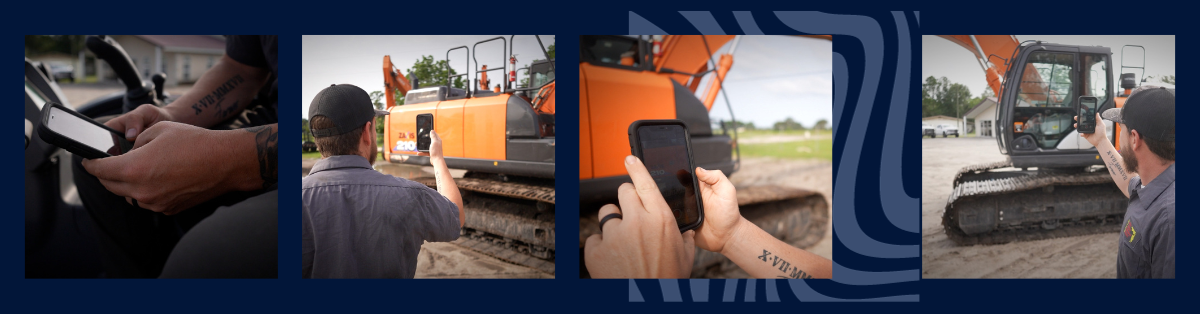
- Yard team / shop team uses Record360 to follow a consistent inspection checklist and take photos and videos
- Rental coordinator adds the specific equipment to the contract
- Drivers picks up and drops the equipment at the customer
Equipment Check-In
- Driver drops the equipment back in a specific area of the yard
- Yard team unloads the equipment and immediately performs an inspection with Record360
- If no damage is present, equipment is washed and prepared for next rental
- If damage is present, an email trigger from the mobile app sends an alert & inspection summary to the rental coordinator
- Rental coordinator immediately sends inspection summary to the customer to notify them of damage
- Service department prepares repair estimate for damage
- Rental coordinator closes contract and invoices the customer for damage
- Service department repairs the equipment
Rental operators that follow this process operate with confidence because they know they have good documentation to rely on in the event damage occurs.
Interested in learning more about Record360? Schedule a demonstration today.