See Record360 at Bauma 2025: April 7-13, Munich, Booth C4-719

Digital Inspection Forms & Templates

Customize Inspection Forms for Every Workflow and Asset

Build digital inspection forms that match how your business actually operates. With Record360, you can create customizable workflows for checkout, return, delivery, PDI, service, or anything else your team needs, so every inspection follows your standard process.

Capture the right information every time with simple pass/fail inputs, and enhance each inspection with photos and media that provide clear, visual proof without slowing your team down.

Custom Inspection Forms

Replace One-Size-Fits-All Inspections with Workflow-Specific Forms

Most Inspection Processes Are Either Too Rigid or Too Inconsistent

Teams are forced to use generic forms that don't match their workflows or rely on memory to capture the right details. Record360 solves this with custom inspection forms that guide technicians step-by-step, ensuring every inspection captures exactly what's needed.
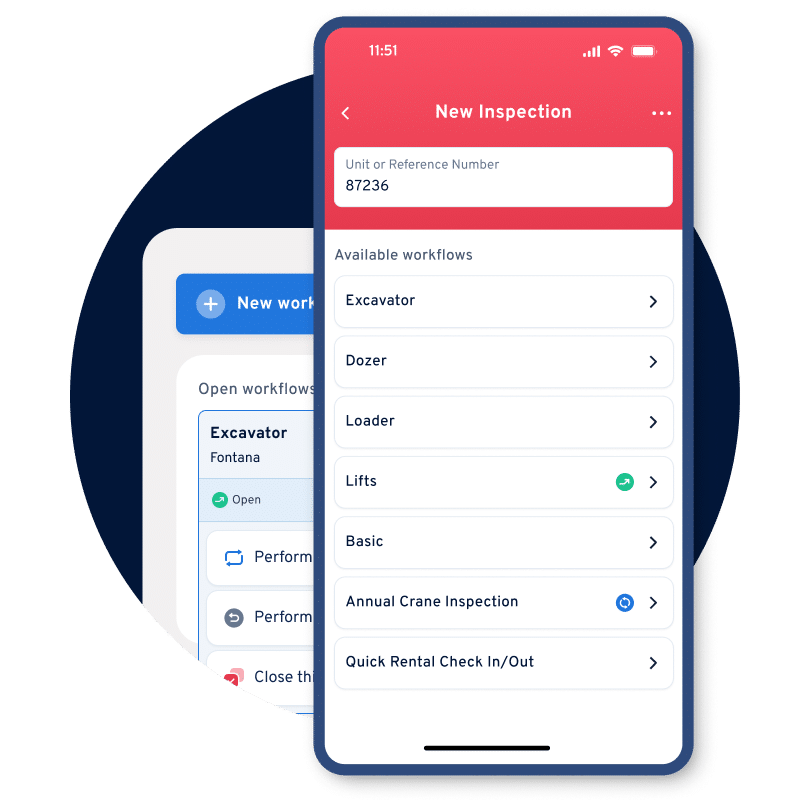
  • Build workflow-specific inspection templates for every event
  • Customize forms for different asset types and use cases
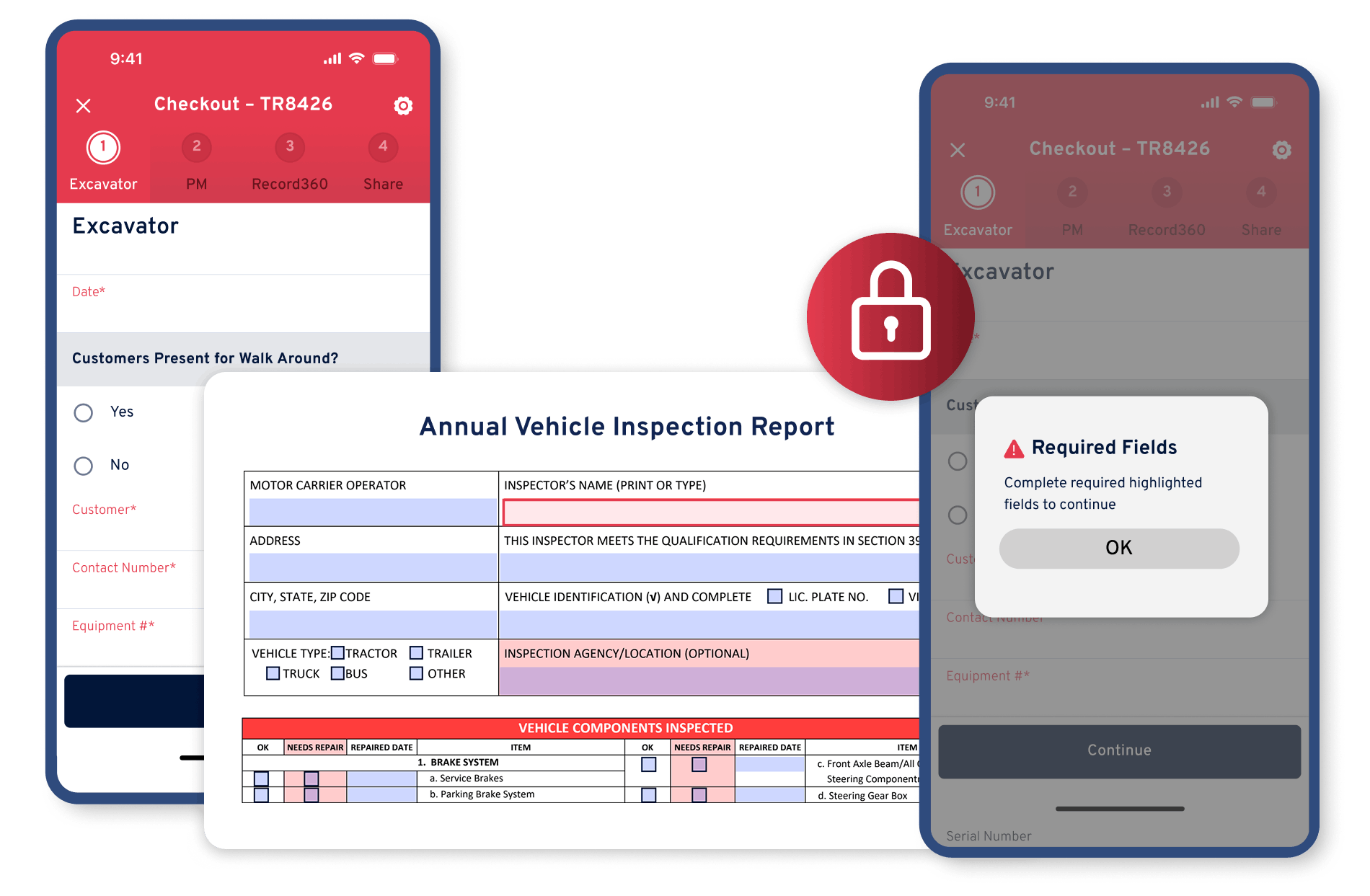
  • Use required fields to eliminate missing information
  • Standardize inspections across teams and locations
  • Reduce rework caused by incomplete documentation
Record360 custom inspection forms
Step 01
Select the Workflow

Choose the correct inspection form for checkout, return, delivery, or service.

Step 02
Follow the Guided Checklist

Technicians complete required fields, photos, and inputs step-by-step.

Step 03
Capture Complete Data

Ensure all required information is recorded before completion.

Step 04
Generate Documentation

Create consistent inspection summaries and records automatically.

Four Capabilities

Four Capabilities That Make Inspection Forms Scalable

01

Build Custom Inspection Templates

Create inspection forms tailored to your workflows and operations.
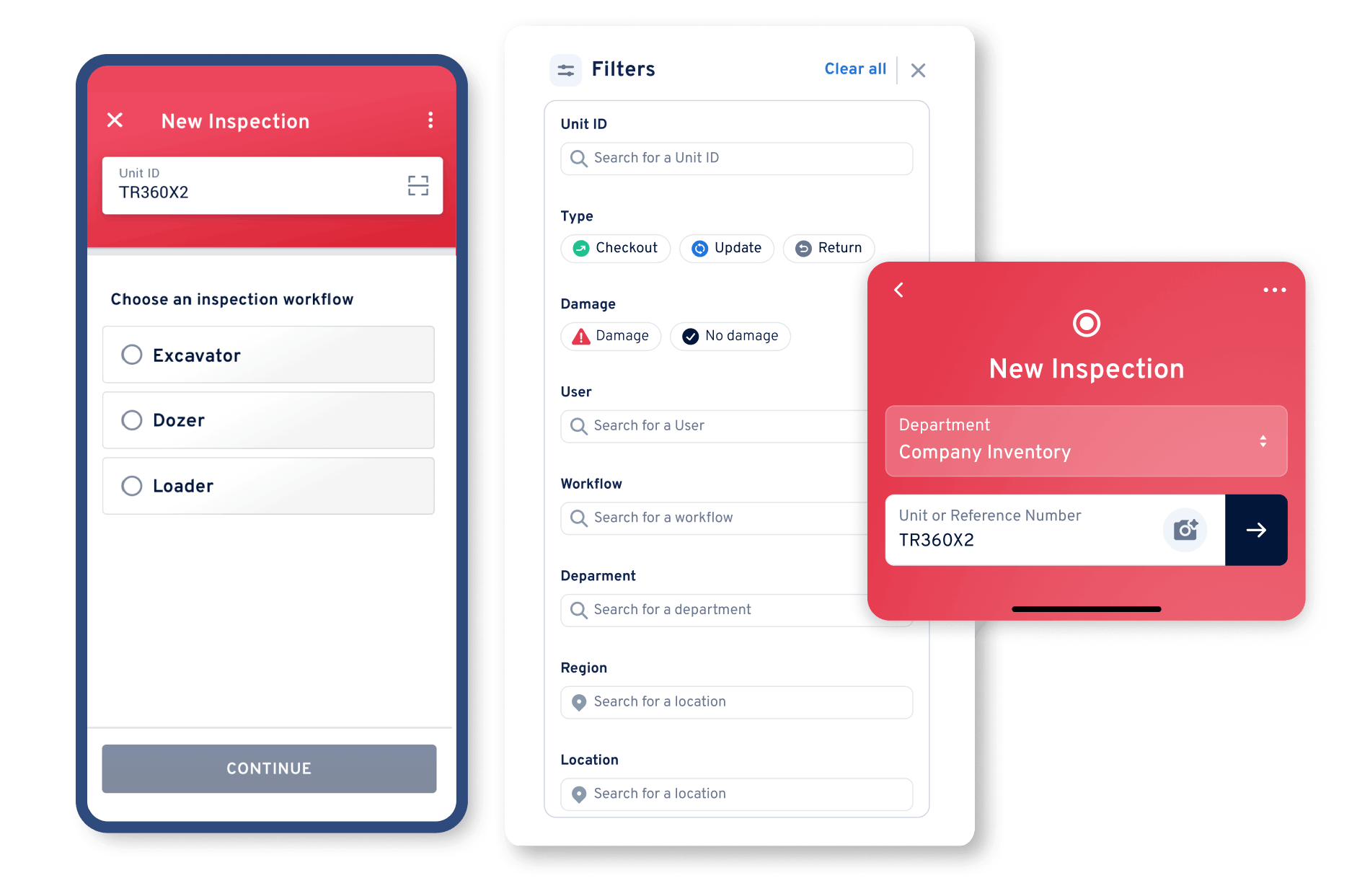
  • Customizable inspection templates
  • Workflow-specific forms (checkout, return, PDI, service)
  • Reusable templates across locations
  • Configurable fields and inputs
Record360 custom inspection templates
Record360 required fields enforcement
02

Enforce Complete Inspections with Required Fields

Ensure nothing gets missed during inspections.

  • Required fields for critical data
  • Validation before completion
  • Consistent data capture across teams
  • Reduced incomplete inspections
03

Adapt Forms by Asset Type

Customize inspections for different equipment and vehicles.
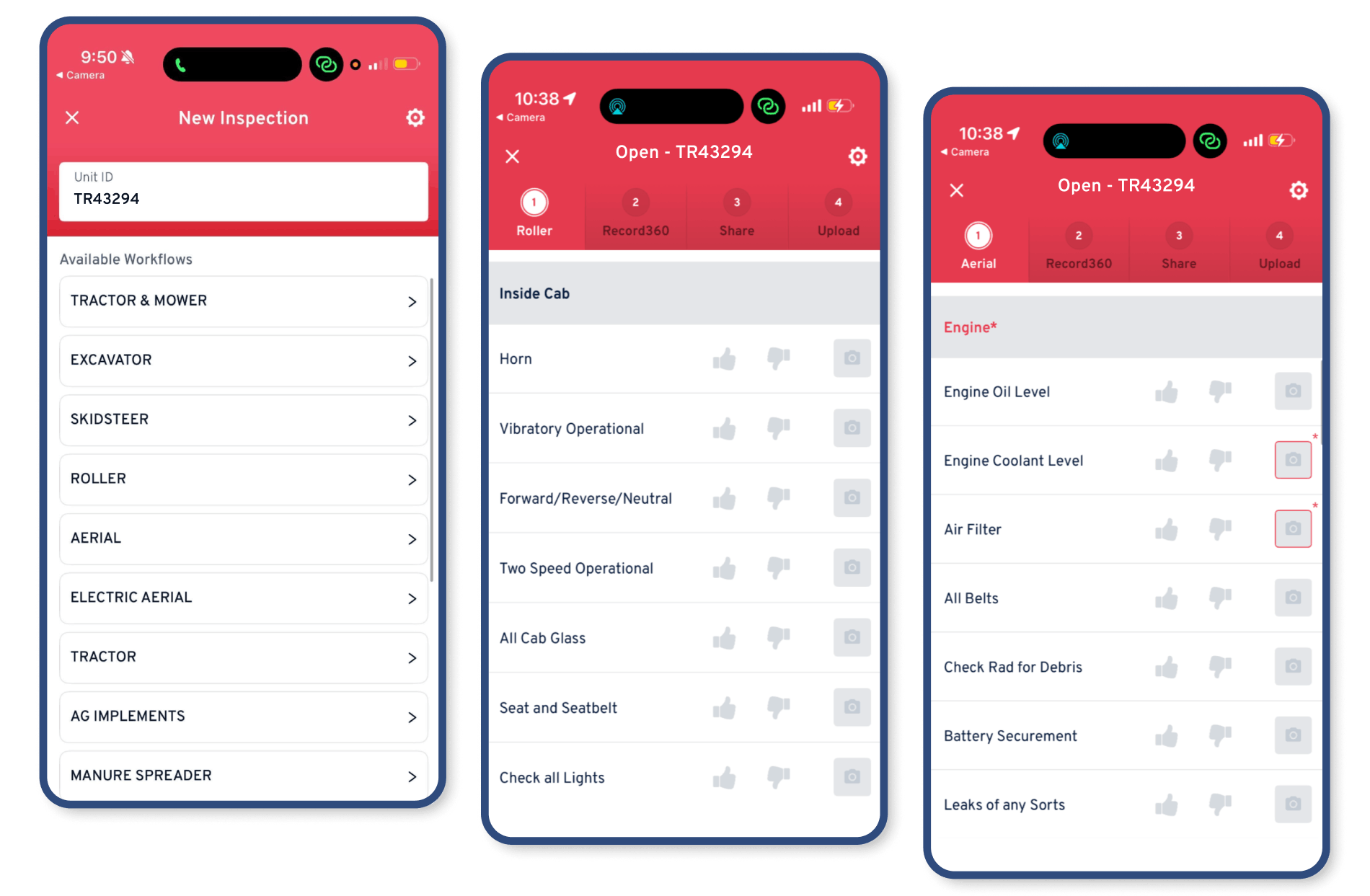
  • Asset-specific workflows
  • Different checklists by asset type
  • Tailored data capture requirements
  • Flexible form configuration
Record360 asset-type specific forms
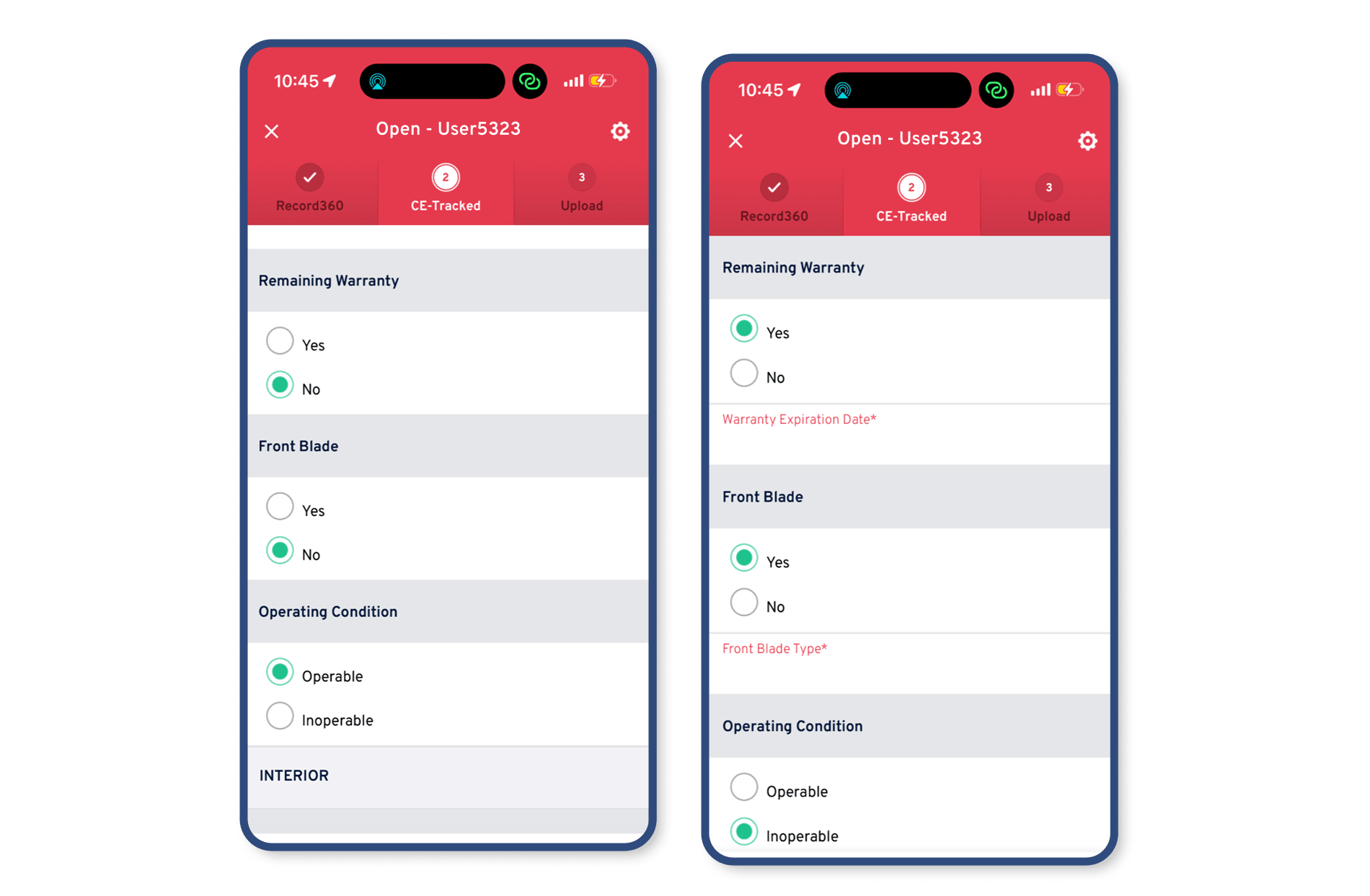
Record360 conditional logic forms
04

Use Conditional Logic for Smarter Forms

Show the right fields based on inspection inputs.

  • Conditional fields and branching logic
  • Dynamic inspection forms
  • Simplified user experience
  • More relevant data capture
Before & After

What Changes When You Use Custom Inspection Forms

The Problem Before Record360
One-size-fits-all inspection forms across workflows
Generic templates fail to capture workflow-specific requirements
Inconsistent inspections across teams and locations
Technicians capture different information depending on experience
Missing fields and incomplete inspection data
Critical details are skipped or forgotten during inspections
Forms not tailored to different asset types
Same checklist used for vehicles, equipment, and other assets
Manual rework to fix incomplete documentation
Teams must follow up to gather missing information
Compliance risk due to inconsistent data capture
Missing required fields creates audit and liability exposure
The Solution With Record360
Custom inspection forms for every workflow and event
Templates match checkout, return, delivery, and service needs
Standardized inspections across teams and locations
Every technician follows the same guided workflow
Complete inspections with required fields enforced
Critical data is captured before inspections are completed
Asset-specific inspection workflows and templates
Different forms for equipment, vehicles, and other assets
Reduced rework and faster inspection completion
All required data is captured during the first inspection
Consistent, audit-ready inspection documentation
Reliable records support compliance and operational needs

Frequently Asked Questions

How do custom inspection forms improve consistency?

Custom templates ensure every technician follows the same checklist, capturing the same data across all inspections.

Yes. Record360 allows you to build asset-specific inspection forms for equipment, vehicles, and other asset categories.

Required fields ensure critical data is captured during the inspection, eliminating the need for follow-up.

Yes. Custom inspection forms can enforce required fields and workflows needed for regulatory and compliance use cases.

Standardize Inspections Without Losing Flexibility

Create custom inspection forms that match your workflows, reduce missing data, and ensure consistent execution across every location.